
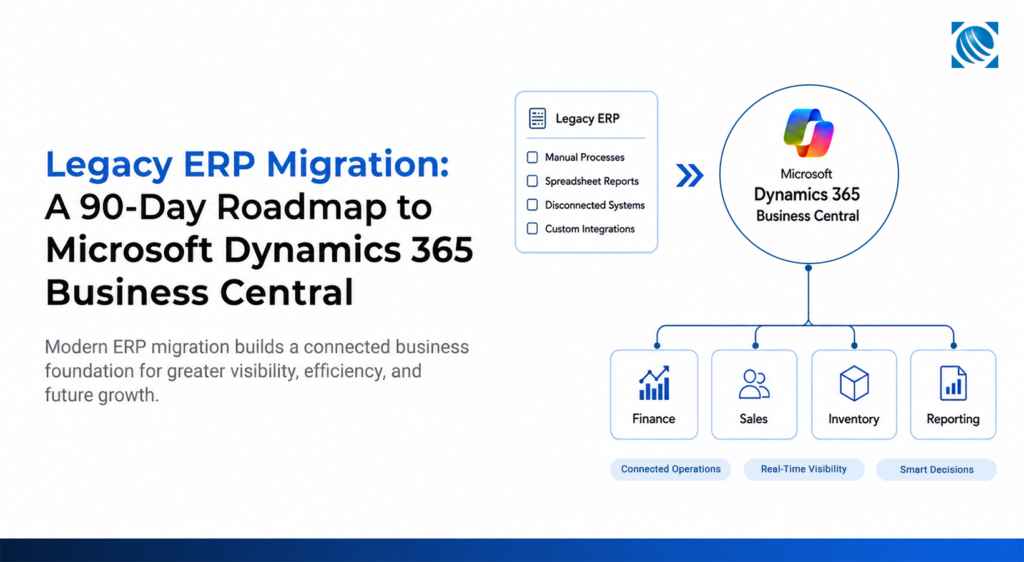
Your ERP isn’t failing. It’s quietly costing your business money every single day.
Every month, your teams spend hours working around limitations that have gradually become part of everyday operations.
- Is every software upgrade turning into a six-month IT project?
- Are your finance teams still exporting reports to Excel before they can trust the numbers?
- Are your operations teams relying on spreadsheets because inventory data isn’t available in real time?
If these challenges sound familiar, your ERP may still be running, but it is no longer supporting the way your business wants to grow.
This is why ERP migration has become a business decision rather than an IT project.
Businesses that delay modernization often spend more time managing disconnected processes than driving growth.
The business case for modernization is becoming increasingly measurable. According to a Microsoft-commissioned Forrester Total Economic Impact study, organizations using Microsoft Dynamics 365 Business Central achieved over 200% projected ROI within three years, with payback in as little as six months. They also reported up to a 30% reduction in monthly financial close time and 50% time savings across core finance processes, highlighting how modern ERP platforms can deliver operational improvements alongside long-term business value.
The question is no longer whether your ERP still works.
It is whether it is helping your business move forward.
The Hidden Cost of Keeping a Legacy ERP Is Rarely Visible
Before looking at the operational challenges in detail, here’s a quick comparison between a typical legacy ERP environment and Microsoft Dynamics 365 Business Central.
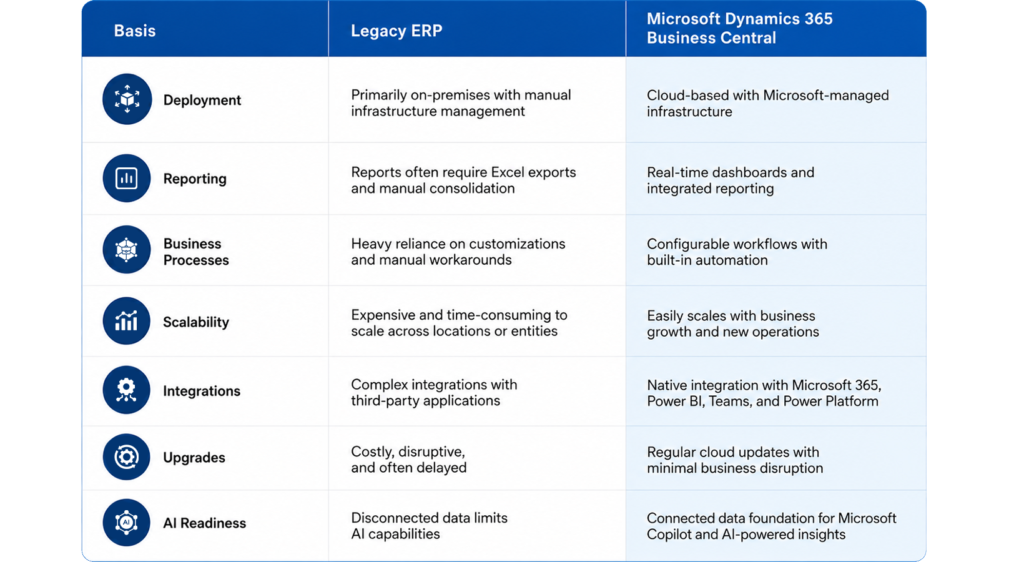
Most organizations replace their ERP not because it fails, but because it no longer supports business growth.
The warning signs rarely appear dramatic. They usually look like everyday operational challenges that become accepted as part of the job:
- Finance teams spend days reconciling reports that should be available instantly.
- Operations rely on spreadsheets because inventory data cannot be trusted in real time.
- Sales teams work with incomplete customer information spread across multiple applications.
- Leadership waits for reports instead of acting on live business insights.
- Employees spend valuable time on manual tasks that should already be automated.
Together, these issues slow decisions, reduce productivity, and limit growth.
These costs appear as delayed product launches, longer month-end closes, rising maintenance costs, inconsistent reporting, and growing reliance on manual work.
Consider an industrial manufacturer opening a new warehouse or a wholesale distributor expanding into a new region. What should be a routine business initiative often becomes a lengthy IT project because the legacy ERP requires custom code and manual workarounds to support new tax rules, inventory locations, and approval workflows.
Legacy ERP systems make every new compliance requirement, business expansion, reporting request, or integration more expensive by demanding additional customization, longer testing cycles, and greater technical effort. Instead of supporting innovation, the ERP becomes the constraint every new initiative must work around.
This isn’t just a theoretical challenge. One organization modernized its legacy ERP with Microsoft Dynamics 365 Business Central to unify finance, procurement, and HR across multiple business units. The migration reduced reliance on spreadsheets, centralized financial reporting, automated approval workflows, and strengthened governance through role-based security. The result was real-time visibility and a scalable ERP foundation.
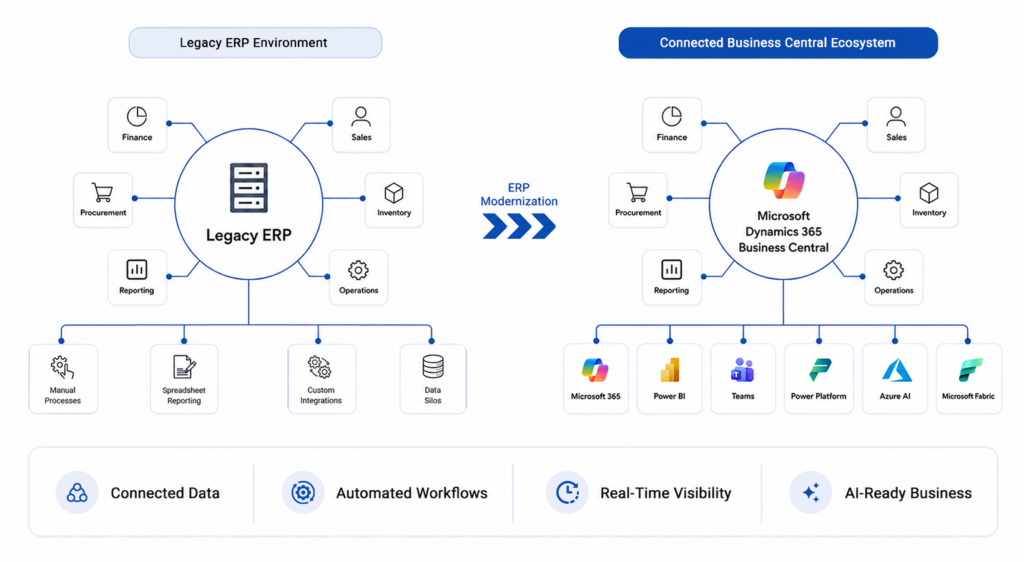
Over time, these incremental fixes become part of everyday operations, making modernization feel increasingly complex even as the cost of doing nothing continues to rise.
So, when is the right time to migrate? The answer is usually clearer than organizations expect. If your teams depend on spreadsheets to complete routine tasks, struggle with disconnected systems, face rising maintenance costs, or lack real-time visibility into operations, it’s a strong indication that your ERP has become a barrier to growth rather than an enabler of it.
Why Businesses Delay ERP Migration: Common Misconceptions That Hold Them Back
If the business case for modernization is compelling, why do organizations continue to postpone ERP migration?
Many organizations associate ERP projects with lengthy implementations, business disruption, high costs, and uncertain outcomes. As long as the existing system continues processing transactions, it often feels easier to postpone modernization than to manage the perceived risks of change.
Over time, customizations accumulate, integrations become more complex, and temporary workarounds become permanent, making ERP modernization increasingly difficult.
Many of these concerns reflect outdated assumptions about ERP implementations.
One common misconception is that every piece of historical data must be migrated. In practice, successful projects prioritize business value over data volume. Active customers, vendors, inventory records, financial balances, and critical historical information are migrated, while outdated or redundant data is archived. The result is cleaner data, better reporting, and easier adoption.
Another misconception is that ERP migration always requires a year-long implementation. For many small and mid-sized organizations with clearly defined requirements, a well-planned Microsoft Dynamics 365 Business Central implementation can often be completed in around 90 days.
Perhaps the biggest misconception is that ERP migration is primarily an IT initiative. In reality, technology is only one part of the equation. Finance defines reporting requirements, operations shape inventory workflows, procurement establishes purchasing processes, sales identifies customer engagement priorities, and leadership determines the business outcomes the platform must support. Technology provides the platform, but business priorities determine whether the migration delivers lasting value.
What a Successful ERP Migration Actually Looks Like in 90 Days
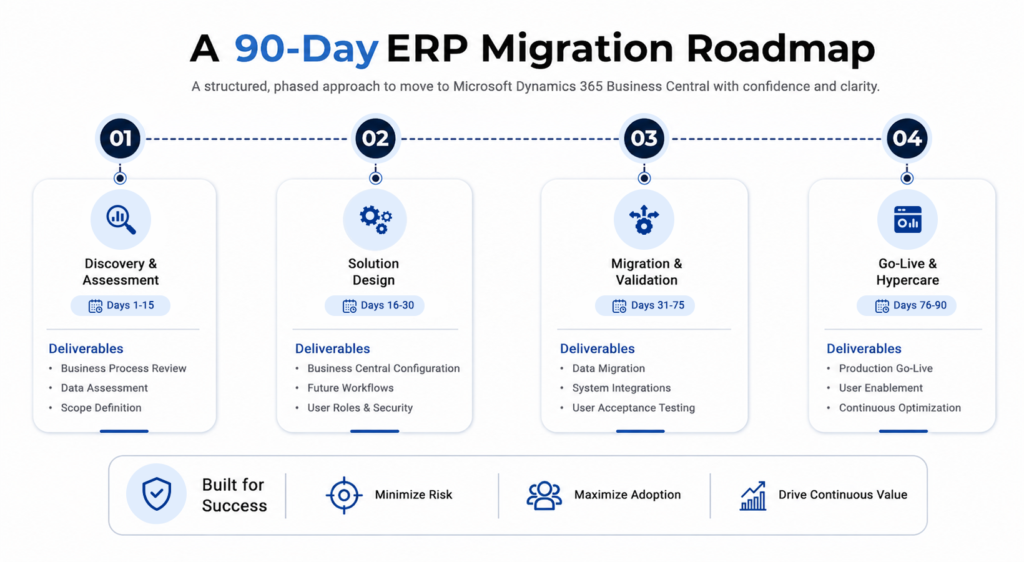
Successful ERP migration is a phased journey, not a single go-live event. A structured 90-day roadmap typically includes:
Phase 1: Discovery & Assessment (Days 1-15)
- Understand current business processes
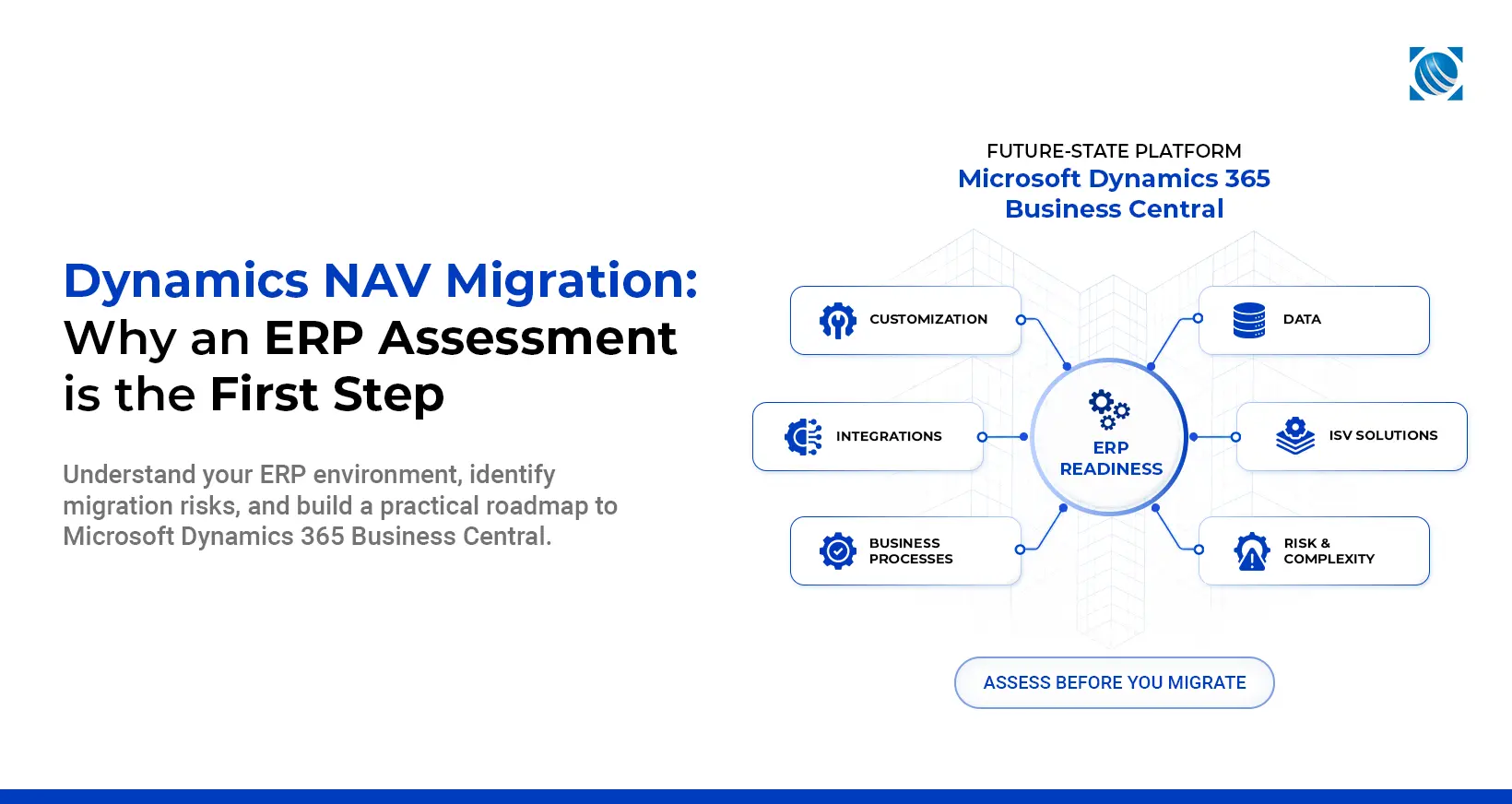
- Assess data quality by identifying duplicate customer records, obsolete inventory data, outdated master data, and customizations that no longer support current business processes.
- Review integrations and customizations
- Define project scope and priorities
Phase 2: Solution Design (Days 16-30)
- Configure Microsoft Dynamics 365 Business Central
- Design future business workflows
- Define user roles and security
- Finalize reporting requirements
Phase 3: Migration & Validation (Days 31-75)
- Migrate business data
- Configure integrations with Microsoft 365, Power BI, CRM platforms, payroll systems, and other critical business applications while validating data consistency.
- Conduct User Acceptance Testing
- Validate end-to-end business scenarios
Phase 4: Go-Live & Hypercare (Days 76-90)
- Deploy to production
- Support business users
- Monitor user adoption, optimize workflows, and resolve post-go-live issues before transitioning into long-term support.
- Monitor system performance, security, and integration health to support continuous optimization.
While timelines vary depending on business complexity, a structured 90-day approach is achievable for many small and mid-sized organizations with clearly defined requirements and experienced implementation support
Why Microsoft Dynamics 365 Business Central Makes ERP Migration Simpler
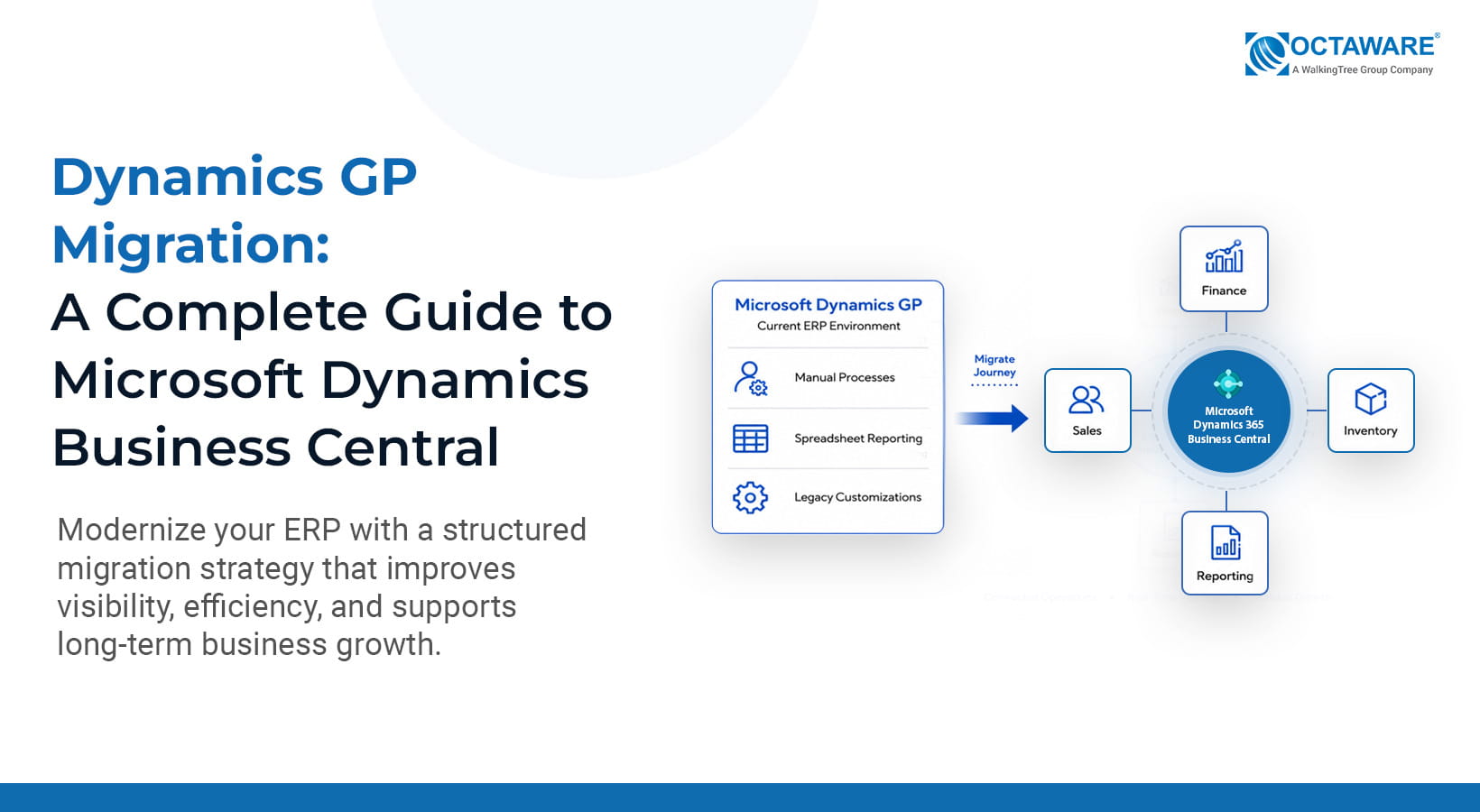
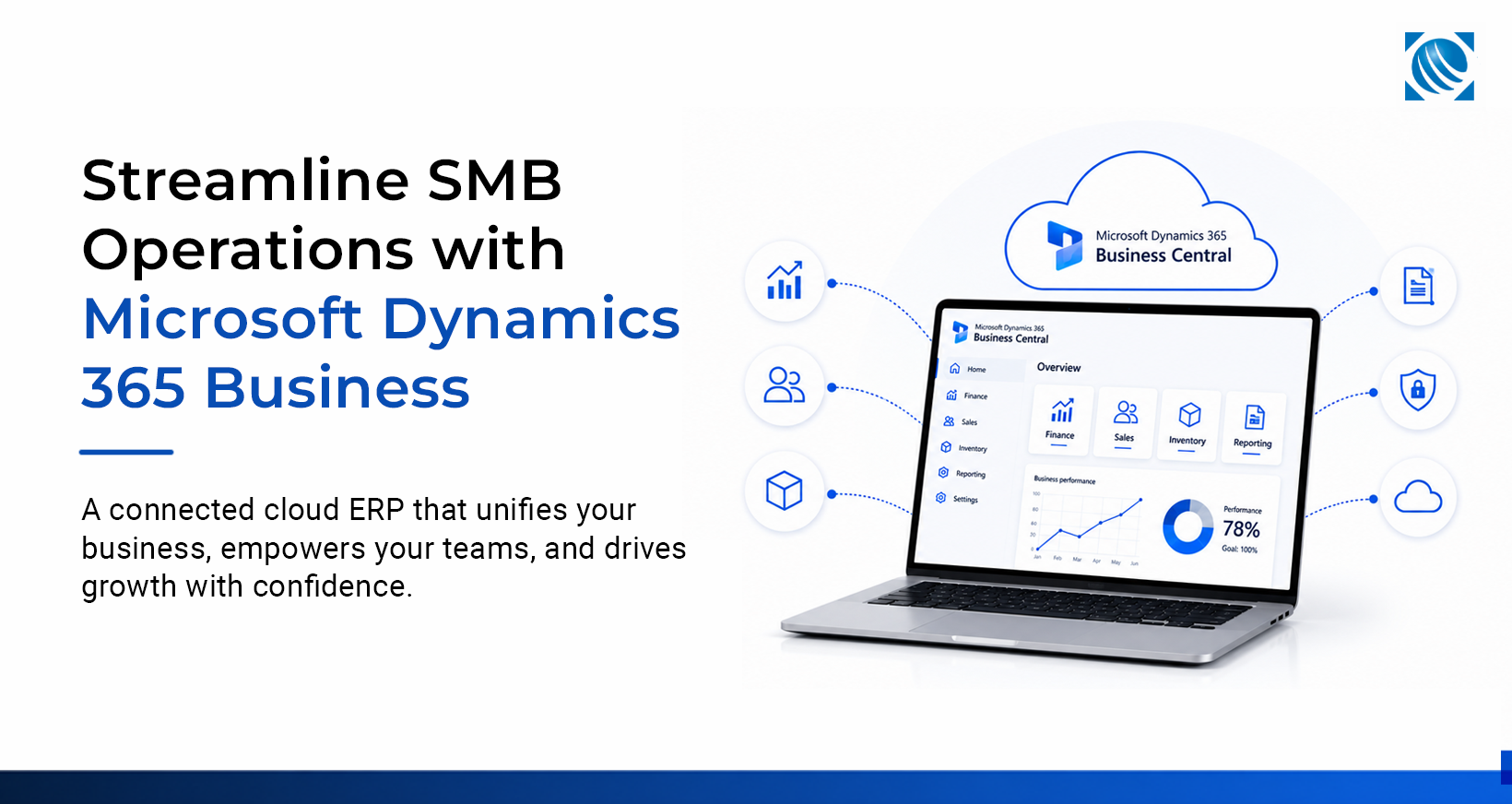
Business Central changes the ERP migration conversation by bringing finance, sales, purchasing, inventory, warehousing, and operations together on a single connected platform. Businesses gain real-time visibility, better collaboration, and faster decision-making.
Because Business Central is part of the Microsoft ecosystem, it integrates seamlessly with Microsoft 365, Power BI, Teams, Power Automate, and other Microsoft technologies. Employees can access business data directly within familiar Microsoft applications.
Business Central scales with business growth without adding unnecessary operational complexity.
ERP migration, therefore, becomes more than replacing legacy software. It becomes an opportunity to build an operating foundation that supports future business growth.
ERP Migration Is Also About Preparing for AI
AI is only as effective as the data behind it. That is why ERP modernization has become an important prerequisite for AI adoption rather than a separate technology initiative. Disconnected applications, inconsistent records, duplicate information, and spreadsheet-driven processes limit the value AI can deliver.
A modern cloud ERP creates a connected data foundation for intelligent automation, real-time reporting, and better business decisions across finance, operations, and leadership.
As organizations adopt Microsoft Copilot and Power Platform, connected ERP data becomes even more valuable.
Why the Right ERP Consulting Partner Matters
Even the best ERP platform cannot deliver business value without the right implementation approach.
An experienced ERP partner aligns technology with your business processes through assessment, data preparation, workflow optimization, and change management.
Ongoing optimization and user adoption help maximize long-term ERP value.
The difference between a successful migration and a costly implementation is rarely the software itself. It is the quality of planning, data readiness, and change management throughout the project. At Octaware Technologies, we approach ERP modernization as part of a broader enterprise transformation strategy. Our Microsoft specialists combine deep expertise in Microsoft Dynamics 365 Business Central, data modernization, automation, and AI to help organizations build platforms that continue creating value long after implementation is complete.
The Businesses That Modernize Today Will Lead Tomorrow
Business growth often slows because legacy systems weren’t built to scale.
A structured ERP migration built around Microsoft Dynamics 365 Business Central helps organizations simplify operations, improve decision-making, reduce long-term costs, and establish the digital foundation needed for future innovation.
The question is no longer whether legacy ERP migration will become necessary. It is whether your organization chooses to modernize before operational complexity begins slowing growth.
Build an ERP Foundation for Long-Term Growth
Modern ERP implementation is not about replacing one system with another. It is about building a connected, intelligent enterprise that can adapt as your business evolves.
Whether you’re planning your first Business Central implementation, replacing a legacy ERP system, or preparing your organization for AI-driven operations, Octaware Technologies combines deep Microsoft expertise with a structured delivery approach to help you modernize with confidence.
From migration planning and implementation to optimization and ongoing support, we help businesses turn ERP modernization into a long-term competitive advantage while accelerating their digital transformation journey.
Ready to modernize your ERP? Schedule a 30-minute ERP Readiness Assessment and build your modernization roadmap.